File validation
Why is this needed?
hictk validate can detect several types of data corruption in .hic and .[ms]cool files, from simple file truncation due to e.g., failed downloads to subtle index corruption in .mcool files.
Cooler index corruption
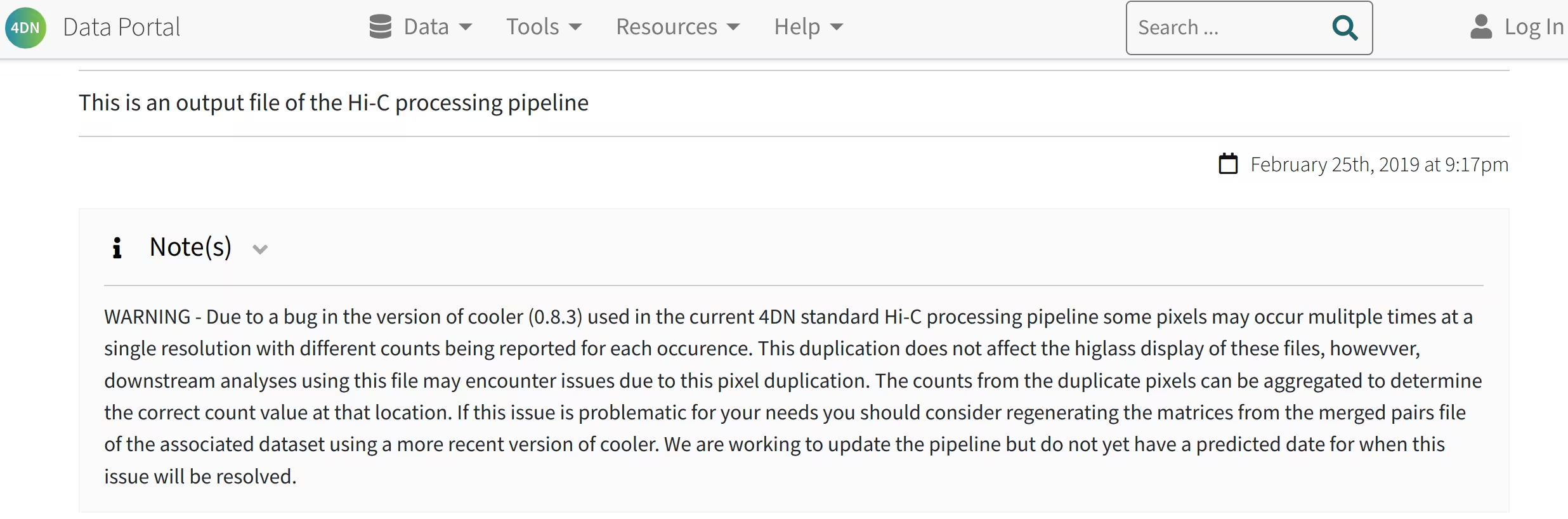
In essence, older versions of cooler (including v0.8.3) had a bug in cooler zoomify that caused the generation of invalid file indexes. This results in duplicate pixels with different values being reported for the affected region.
Example:
chrom1 |
start1 |
end1 |
chrom2 |
start2 |
end2 |
count |
balanced |
|---|---|---|---|---|---|---|---|
chr1 |
10828000 |
10830000 |
chr1 |
11002000 |
11004000 |
1 |
0.000208987 |
chr1 |
10828000 |
10830000 |
chr1 |
11002000 |
11004000 |
1 |
0.000208987 |
chr1 |
10828000 |
10830000 |
chr1 |
11006000 |
11008000 |
1 |
0.000199523 |
chr1 |
10828000 |
10830000 |
chr1 |
11006000 |
11008000 |
3 |
0.000598569 |
chr1 |
10828000 |
10830000 |
chr1 |
11010000 |
11012000 |
4 |
0.000695946 |
chr1 |
10828000 |
10830000 |
chr1 |
11010000 |
11012000 |
2 |
0.000347973 |
chr1 |
10828000 |
10830000 |
chr1 |
11020000 |
11022000 |
1 |
0.000219669 |
chr1 |
10828000 |
10830000 |
chr1 |
11020000 |
11022000 |
1 |
0.000219669 |
chr1 |
10828000 |
10830000 |
chr1 |
11030000 |
11032000 |
3 |
0.000499071 |
chr1 |
10828000 |
10830000 |
chr1 |
11030000 |
11032000 |
2 |
0.000332714 |
… |
… |
… |
… |
… |
… |
… |
… |
Unfortunately, this is not a rare issue, as the above bug currently affects most .mcool files released by 4D Nucleome:
hictk validate
hictk validate was initially developed to detect files affected by the above issue and was later extended to also validate .cool, .scool, and .hic files as well.
Perform a quick check to detect truncated or otherwise invalid files:
# Validate a .hic file
user@dev:/tmp$ hictk validate data/4DNFIZ1ZVXC8.hic9
[2025-03-22 10:48:34.598] [info]: Running hictk v2.0.2-6a99e2c3
{
    "format": "hic",
    "is_valid_hic": true,
    "uri": "data/4DNFIZ1ZVXC8.hic9"
}
### SUCCESS: "data/4DNFIZ1ZVXC8.hic9" is a valid .hic file.

# Validate a .mcool file
user@dev:/tmp$ hictk validate data/4DNFIZ1ZVXC8.mcool
[2025-03-22 10:49:31.404] [info]: Running hictk v2.0.2-6a99e2c3-dirty
{
    "1000": {
        "bin_table_dtypes_ok": true,
        "bin_table_num_invalid_bins": 0,
        "bin_table_shape_ok": true,
        "file_was_properly_closed": true,
        "index_is_valid": "not_checked",
        "is_hdf5": true,
        "is_valid_cooler": true,
        "missing_groups": [],
        "missing_or_invalid_bin_type_attr": false,
        "missing_or_invalid_format_attr": false,
        "pixels_are_sorted": "not_checked",
        "pixels_are_symmetric_upper": "not_checked",
        "pixels_are_unique": "not_checked",
        "pixels_have_valid_counts": "not_checked",
        "unable_to_open_file": false
    },
    "100000": {
        ...
    },
    "1000000": {
        ...
    },
    "25000": {
        ...
    },
    "250000": {
        ...
    },
    "2500000": {
        ...
    },
    "5000": {
        ...
    },
    "50000": {
        ...
    },
    "500000": {
        ...
    },
    "file_was_properly_closed": true,
    "format": "mcool",
    "is_hdf5": true,
    "is_valid_mcool": true,
    "missing_groups": [],
    "missing_or_invalid_bin_type_attr": false,
    "missing_or_invalid_format_attr": false,
    "unable_to_open_file": false,
    "uri": "data/4DNFIZ1ZVXC8.mcool"
}
### SUCCESS: "data/4DNFIZ1ZVXC8.mcool" is a valid .mcool file.
The quick check will not detect Cooler files with corrupted index, as this requires the --validate-index option (note, this step requires a corrupted .mcool file such as 4DNFI9GMP2J8.mcool):
user@dev:/tmp$ hictk validate --validate-index 4DNFI9GMP2J8.mcool::/resolutions/1000000
[2024-09-26 16:26:32.671] [info]: Running hictk v1.0.0-fbdcb591
{
    "bin_table_dtypes_ok": true,
    "bin_table_num_invalid_bins": 0,
    "bin_table_shape_ok": true,
    "file_was_properly_closed": true,
    "format": "cool",
    "index_is_valid": "pixels between 0-2850 are not sorted in ascending order (and very likely contain duplicate entries)",
    "is_hdf5": true,
    "is_valid_cooler": false,
    "missing_groups": [],
    "missing_or_invalid_bin_type_attr": false,
    "missing_or_invalid_format_attr": false,
    "pixels_are_symmetric_upper": "not_checked",
    "pixels_are_unique": "not_checked",
    "pixels_have_valid_counts": "not_checked",
    "unable_to_open_file": false,
    "uri": "4DNFI9GMP2J8.mcool::/resolutions/100000"
}
### FAILURE: "4DNFI9GMP2J8.mcool::/resolutions/100000" does not point to valid Cooler.
In addition, when validating .[ms]cool files, the --validate-pixels flag can be used to detect malformed or invalid pixels such as:
Unsorted pixels (this is usually a consequence of the file index corruption outlined above).
File has
storage-mode="symmetric-upper"but pixels overlap with the lower-triangular matrix.File contains duplicate pixels (note that this only checks consecutive values. If duplicate pixels are present but are not consecutive, they will be detected by the first check).
Pixels have invalid count values (e.g., pixels have 0 interactions).
When launched with default settings, hictk validate outputs its report in .json format. The output format can be changed using the --output-format option.
Output to stdout can be completely suppressed by providing the --quiet option (the outcome of file validation can still be determined based on hictk’s exit code).
When processing multi-resolution or single-cell files, hictk validate returns as soon as the first validation failure is encountered. This behavior can be changed by specifying the --exhaustive flag.
Restoring corrupted .mcool files
Luckily, the base resolution of .mcool files corrupted as described in Cooler index corruption is still valid, and so corrupted resolutions can be regenerated from the base resolution.
File restoration is automated with hictk fix-mcool:
hictk fix-mcool 4DNFI9GMP2J8.mcool 4DNFI9GMP2J8.fixed.mcool
hictk fix-mcool is basically a wrapper around hictk zoomify and hictk balance.
When balancing, hictk fix-mcool will try to use the same parameters used to balance the original .mcool file. When this is not possible, hictk fix-mcool will fall back to the default parameters used by hictk balance.
To improve performance, consider using the --in-memory and/or --threads CLI options when appropriate (see Balancing Hi-C matrices for more details).